
What fine-tuning changes
RAG does not change the model. It changes the response, because it puts retrieved context, rules or tools in front of whatever model you serve, fine-tuned or not. Fine-tuning changes the model itself, because you continue training it on your own examples and its behaviour moves toward the terminology, the output format and the notion of a correct answer that your domain uses. Teams routinely use the two together.
Teams usually apply fine-tuning to a smaller open model such as Llama, Qwen or Mistral, where the goal is to make that model good enough at one narrow task that you stop routing the task to a larger one.
This is part two. It starts from the tables that RAG on Your Lakehouse builds, so read that guide first. That guide parses a directory of contract PDFs into
contract_chunks, a Hudi table on Lance base files that holds the text and its embeddings, and it loads the clause labels describing those contracts intocontract_annotations, a Hudi table on Parquet. Everything below starts from those two tables.
The kinds of fine-tuning
Answer two independent questions. The first is what you change:
| Full fine-tuning (full-parameter) | the trainer retrains the entire model and updates every weight, so it is the most expensive way to train and it needs the most data |
| LoRA / QLoRA | the trainer trains small adapter matrices and keeps the base weights frozen, so a run is cheap enough to iterate on and most teams start there |
The second is what you feed the trainer, and that answer sets the shape of your dataset:
| Objective | Each example is | training_type |
|---|---|---|
| Supervised fine-tuning (SFT) | a prompt and the response that you want back | sft |
| Preference tuning (DPO) | a prompt, one preferred response and one rejected response | preference |
| Continued pretraining | raw text, no prompts | text |
The exporter below writes all three shapes. This guide builds an SFT dataset, the most common of the three.
Where you run it
Open-source trainers on your own hardware. TRL with PEFT, Axolotl, LLaMA-Factory and Unsloth all run a LoRA fine-tune or a full fine-tune locally. You own the GPUs and the training loop, and the trainer reads the dataset from disk or from the Hugging Face Hub.
A managed platform. Together and Fireworks take a dataset and run the job for you. Fireworks accepts JSONL in the OpenAI chat shape, with a messages array and an optional weight that scales the loss, while Together accepts JSONL or pre-tokenized Parquet carrying input_ids and attention_mask. Neither of those two reads a Hugging Face dataset id, so the job refers to a file by id or by URL. Baseten works differently again, because you supply a training script and a config, it provisions the GPUs, and your script loads the data itself. Baseten does read the Hugging Face Hub for that reason, and it also mounts an hf:// path.
Neither an open-source trainer nor a managed platform builds the dataset for you, so the curation is yours in every case. The useful part is that the platforms accept a small set of shapes between them, either chat records as JSONL or pre-tokenized columns, so one dataset serves any of them. What decides the outcome is the dataset itself. The model learns exactly what your examples show it, so the cases you cover, the answers you accept as correct and the balance between them set the ceiling on what a fine-tune can reach.
What you build
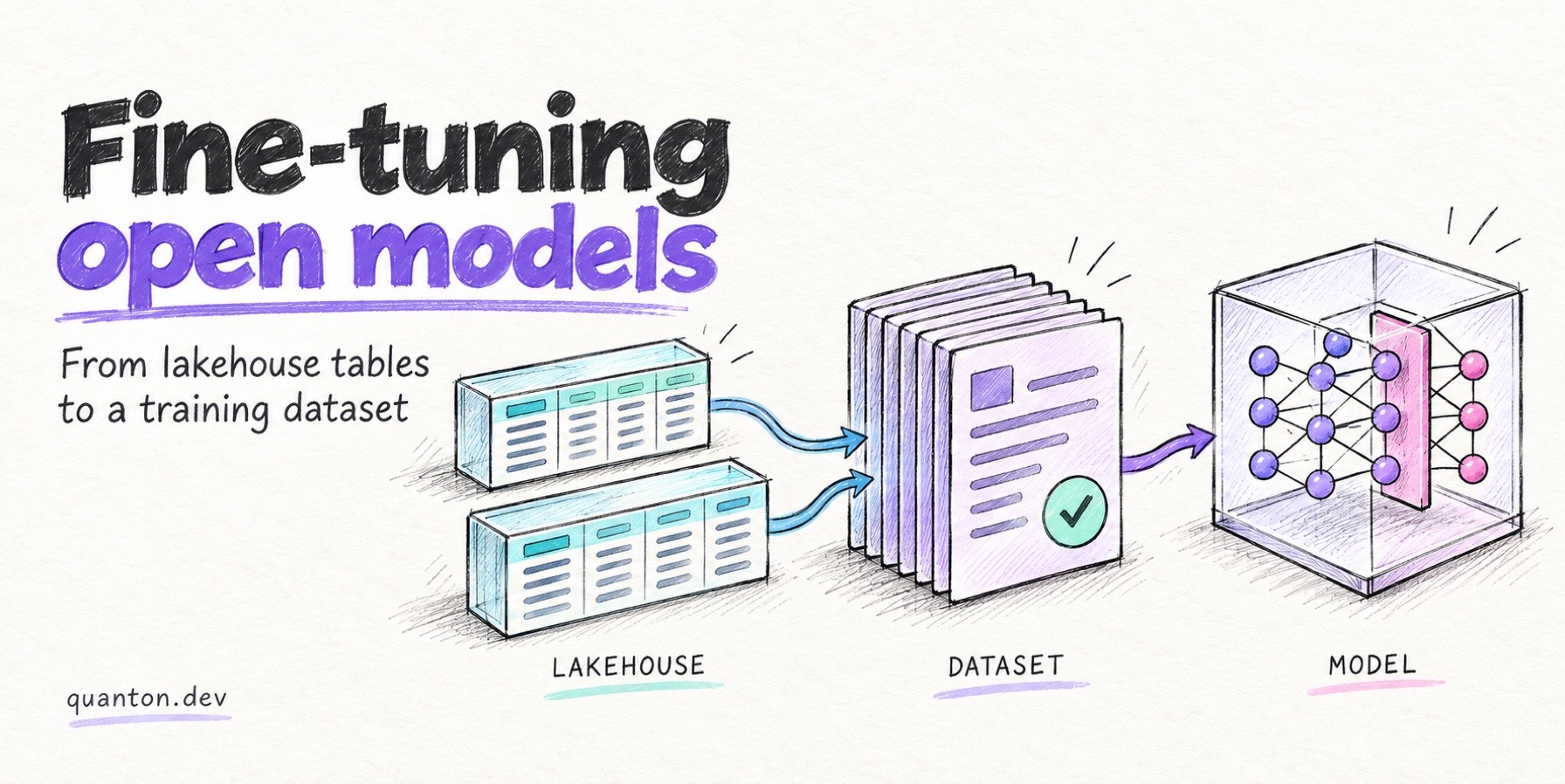
You build an SFT dataset from contract_chunks and contract_annotations, the two Hudi tables that RAG on Your Lakehouse produced. The exporter validates it against the trainer’s schema and writes it as JSONL or pre-tokenized Parquet, under a version path that nothing later overwrites.
contract_chunks (Hudi · Lance)  ×  contract_annotations (Hudi · Parquet)
   │  locate each expert-labelled clause inside the chunk that contains it
   ▼
training rows            messages: [system, user → question + context, assistant → answer]
   │  format("training_dataset")
   ▼
dataset in storage       JSONL, or pre-tokenized Parquet + a manifest naming the
   │                       exact command to load it on each platform
   │  mount it, register its URL, or upload it — one per platform
   ▼
training run             on Together, Fireworks, Baseten, or a trainer of your own
The previous guide read 510 CUAD contract PDFs into those tables, along with the 6,591 clause labels that lawyers assigned across 41 clause types. CUAD holds real commercial contracts with lawyer-assigned clause labels, and it comes from Hugging Face.
Everything below runs on Quanton.
Setup
The image ships quanton_llm_training, so you install nothing:
import quanton_llm_training
quanton_llm_training.register(spark)
The exporter is a Spark 4 Python data source. The image installs it with its tokenized extra, so outputFormat=tokenized needs no extra package either.
Step 1 — Build the training rows in SQL
Curation is a query. A CUAD label holds a clause type such as Non-Compete or Anti-Assignment, plus the span of contract text that a lawyer marked as that clause, and the chunks hold the same contracts as parsed text. Locate the span inside the chunk that contains it and you get a grounded triple of a question, the context to answer it from, and an answer that a lawyer wrote rather than one that a model invented:
norm = lambda c: F.lower(F.regexp_replace(c, r"\s+", " "))

spans = (annotations
         .select("file_name", "clause_type", F.explode("clause_spans").alias("span"))
         .where(F.length("span") > 40))

positives = (
    spans.withColumn("span_key", F.substring(norm(F.col("span")), 1, 120))
         .join(chunks.withColumn("chunk_norm", norm(F.col("chunk"))), "file_name")
         .where(F.expr("instr(chunk_norm, span_key) > 0"))
         .groupBy("file_name", "clause_type", "span")
         .agg(F.first("chunk").alias("chunk"))
)
Three parts of that query need an explanation. The query normalises whitespace on both sides, because different tools extracted the label text and the chunk text from the PDF. The join key is a 120-character prefix rather than the whole span, because long spans cross chunk boundaries and the join would otherwise drop them. The length filter and the groupBy remove accidental matches from very short spans, and they keep one chunk per contract, clause type and span.
A second query shapes each surviving row into an SFT record:
train = positives.select(
    F.array(
        F.struct(F.lit("system").alias("role"),
                 F.lit("You are a contract analyst. Answer strictly from the excerpt; "
                       "quote the contract language that supports your answer.").alias("content")),
        F.struct(F.lit("user").alias("role"),
                 F.concat(F.lit('Does the following contract excerpt contain a "'),
                          F.col("clause_type"),
                          F.lit('" clause? If yes, quote the relevant language.\n\nExcerpt:\n'),
                          F.col("chunk")).alias("content")),
        F.struct(F.lit("assistant").alias("role"),
                 F.concat(F.lit("Yes. This excerpt contains a "), F.col("clause_type"),
                          F.lit(' clause: "'), F.substring(F.col("span"), 1, 800),
                          F.lit('"')).alias("content")),
    ).alias("messages")
)
The code uses a join, a filter and an array of structs, and no dedicated tooling in the middle.
This dataset has one defect, which keeps the example short. Every row is a positive example, so every answer starts with Yes. This excerpt contains, and a model that trains on that data learns to say yes rather than to check. A usable dataset needs roughly as many negative examples, drawn from the same contracts where that clause type is absent and the answer is no, and an anti-join over those two tables produces them.
Step 2 — Export with validation
(train.write.format("training_dataset")
   .option("provider", "together")
   .option("training_type", "sft")
   .option("rowIdColumn", "chunk_id")
   .mode("append")
   .save("s3://bucket/exports/contract-analyst/v1"))
The exporter validates in two passes. On the driver, before it writes a byte, it checks the DataFrame schema against the columns your training_type needs, and on the executors it rejects an invalid role, empty content or a missing assistant turn.
Both passes run here rather than at upload time, because a platform’s endpoint reports the first failure and then stops, which costs one round trip per bad row on a file you already transferred.
Each shape requires its own columns:
training_type | Required columns |
|---|---|
sft | messages array<struct<role,content>>, or prompt + completion |
preference | input, preferred_output, non_preferred_output |
text | text |
Only those columns reach the file. The exporter reads chunk_id above for error messages and does not write it. So keep the curated rows as a table of their own and export from that table, if you want to trace a training row back to the contract that produced it.
A training dataset is immutable
The exporter creates a dataset and it never replaces one. A write to a path that already holds an export fails at plan time, because a fine-tune run is reproducible only while the bytes it read still exist. So version the path: write v1, then write v2 beside it, and keep both.
That is also why Spark needs the .mode("append") in the write above. Spark rejects the default ErrorIfExists for a Python data source and hands the exporter a bare overwrite boolean, so neither spelling you can type means create, and mode("overwrite") against a populated path is refused by name. A job that fails part way through clears its own output, so a failed attempt never blocks the next write to that path.
Step 3 — Hand it to the platform
Quanton writes the dataset to object storage and stops there. Fireworks can register a dataset that stays in your bucket, Together takes an upload only, and neither of them reads a Hugging Face dataset id, so the last hop is still yours to run today. The exporter writes a load section into _manifest.json naming the exact command for the platform you chose:
"load": {
  "format": "Fireworks SFT JSONL (messages) — .jsonl is the only format documented",
  "export_uri": "s3://bucket/exports/contract-analyst/v1/dataset.jsonl",
  "steps": [
    "firectl dataset create <dataset-id> --external-url s3://bucket/exports/contract-analyst/v1/dataset.jsonl",
    "firectl sftj create --base-model <model> --dataset <dataset-id> --output-model <fine-tuned id>"
  ],
  "upload_instead": "firectl dataset create <dataset-id> <local dataset.jsonl>",
  "limits": "3 examples minimum, 3 million maximum, per the SFT docs",
  "docs": "https://docs.fireworks.ai/tools-sdks/firectl/commands/dataset-create"
}
The account id and the dataset id stay as placeholders, because naming a dataset belongs to the step that you run.
The three platforms want the dataset in three different ways, and only one of them moves any bytes:
| platform | how it takes the dataset | do the bytes move? |
|---|---|---|
baseten | BDN mounts the export prefix straight from s3://, and your training script reads it off the mount | no |
fireworks | firectl dataset create --external-url … registers the object where it already is | no |
together | upload only — files.upload takes a local path and there is no import-from-URL endpoint | yes, you fetch it and upload |
Quanton implements all three adapters, and each one validates its own contract at plan time. Fireworks takes sft and JSONL only, so it rejects outputFormat=tokenized before the job writes anything, and Baseten takes sft and text. Together accepts the most, all three shapes and both output formats.
Read the manifest’s limits and caveats for the platform you picked, because each one binds differently:
- Fireworks documents
--external-urlas “the GCS URI that points to the dataset file”, and every example in its docs is onegs://object key. No sentence says that a prefix is refused, and none says thats3://works either, sogs://is the documented path ands3://is unsettled. Fireworks also needs 3 examples at minimum and takes 3 million at most, and the manifest warns you when an export falls below that floor. [Ref] - Together quotes 100 GB per file in its docs, but
files.uploaddefaults tocheck=Trueand that pre-flight refuses anything aboveMAX_FILE_SIZE_GB = 50.1, so 50.1 GB is the real ceiling. Multipart engages above 5 GB. [Ref] - Baseten mounts
hf,s3,gs,r2andcw, and it bundles an export on any other scheme withtruss train push. A Llama fine-tune has run end to end on Baseten from JSONL that this exporter produced. [Ref]
One object, or many
The exporter writes one part file per Spark partition, which suits Baseten, because BDN mounts a prefix and the manifest hands you a glob against the mount path:
load_dataset("json", data_files="/app/data/part-*.jsonl", split="train")/app/data is the exporter’s default, and mountLocation changes it. Fireworks and Together both want a single object instead. --external-url names a file, and one Together upload returns one file id. Ask for that with singleFile, on a single-partition write:
(train.coalesce(1).write.format("training_dataset")
   .option("provider", "fireworks")
   .option("training_type", "sft")
   .option("singleFile", "true")
   .mode("append")
   .save("s3://bucket/exports/contract-analyst/v1-single"))
Starting the run
You start the training job yourself, against the file the manifest points at:
client.fine_tuning.create(
    training_file=file_id,      # from `together files upload`, per the manifest's steps
    model="meta-llama/Meta-Llama-3.1-8B-Instruct",
    lora=True,
)
All three platforms can create a job over their API. Together uses POST /v1/fine-tunes, Fireworks uses POST /v1/accounts/{account}/supervisedFineTuningJobs, and Baseten uses truss train push. The exporter calls none of them, on purpose.
The options
| Option | Default | What it does |
|---|---|---|
provider | (required) | together, fireworks or baseten |
training_type | sft | sft, preference or text |
outputFormat | jsonl | jsonl, or tokenized for pre-tokenized Parquet |
tokenizer | — | Hugging Face model id, required by tokenized |
maxSeqLen | — | truncate token sequences, and count the truncations in the manifest |
singleFile | false | rename the lone part to dataset.jsonl or dataset.parquet |
rowIdColumn | — | the column that validation errors quote |
mountLocation | /app/data | Baseten only, the BDN mount path in the manifest snippet |
There is no API key option and no timeout option, because nothing here contacts a platform.
Where to go next
Persist the curated rows as their own Hudi table, keyed on the chunk that produced each row. You can then diff v1 against v2 and see exactly which examples changed between two training runs. When a fine-tuned model gets better or worse, that diff tells you what changed.
Serving the tuned model needs its own stack. Use vLLM if you host the model, or the platform’s endpoint if you do not.
Run it yourself
The rag-and-fine-tuning demo in the quanton-operator repo runs this export against real contracts. Run the retrieval demo first, because this one reads the tables it writes.
kubectl apply -f quanton-finetune-demo.yaml
kubectl logs -f quanton-finetune-demo-driver -n default
It locates each expert-annotated span inside the chunk that contains it, exports the training dataset as JSONL and as tokenized parquet, and prints both _manifest.json files. Upload the dataset to your provider with the command in the manifest’s load section.
The repo also ships a Claude Code skill, run-rag-demo, which runs both demos in order.
Related
- RAG on Your Lakehouse — required reading for this guide. It builds
contract_chunksandcontract_annotationsfrom a directory of PDFs and a CSV of labels.
