Deploy Quanton on EKS
This guide walks through deploying the Quanton Operator on a new EKS cluster from scratch — from creating the cluster to running your first Spark job.
This guide has you create and own a node group. If you'd rather AWS manage node provisioning, scaling, and patching — and scale to zero when idle — see EKS Auto Mode instead.
Prerequisites
- AWS CLI installed and configured
- eksctl installed
- Helm >= 3.x
- kubectl installed
onehouse-values.yamldownloaded from the Onehouse console
Resource and cluster setup
Step 1: Configure AWS credentials
aws configure
Verify you're authenticated:
aws sts get-caller-identity
Step 2: Create the EKS cluster
eksctl create cluster \
  --name quanton-eks \
  --region us-west-2 \
  --nodegroup-name standard-workers \
  --node-type m5.xlarge \
  --nodes 2 \
  --managed
This takes ~15 minutes. eksctl creates the cluster, VPC, subnets, and node group via CloudFormation.
Step 3: Verify nodes are ready
kubectl get nodes
You should see 2 nodes in Ready state.
Install the operators
Step 4: Install the Spark Operator
The Quanton Operator extends the kubeflow Spark Operator — install it first:
helm repo add spark-operator https://kubeflow.github.io/spark-operator
helm repo update

helm install spark-operator spark-operator/spark-operator \
  --namespace spark-operator \
  --create-namespace \
  --set "spark.jobNamespaces={default}"
Verify it's running:
kubectl get pods -n spark-operator
Step 5: Install the Quanton Operator
helm upgrade --install quanton-operator oci://registry-1.docker.io/onehouseai/quanton-operator \
  --namespace quanton-operator \
  --create-namespace \
  --set "quantonOperator.jobNamespaces={default}" \
  -f /path/to/onehouse-values.yaml
Verify the pods are running (may take ~30–60 seconds to initialize):
kubectl get pods -n quanton-operator
Expected output once ready:
NAME                                   READY   STATUS    RESTARTS   AGE
quanton-controller-xxxx-xxxxx          3/3     Running   0          60s
If a pod shows PodInitializing or 0/N (not all containers ready yet), wait a moment and re-run the command.
Submit and monitor job
Step 6: Submit a test job
kubectl apply -f https://raw.githubusercontent.com/onehouseinc/quanton-operator/main/examples/quanton-application.yaml
Confirm the application was created:
kubectl get quantonsparkapplications -n default
Monitor the driver pod (may take 2–3 minutes while the Quanton image is pulled):
kubectl get pods -A | grep driver
You can also track the job in the Onehouse console under Jobs:
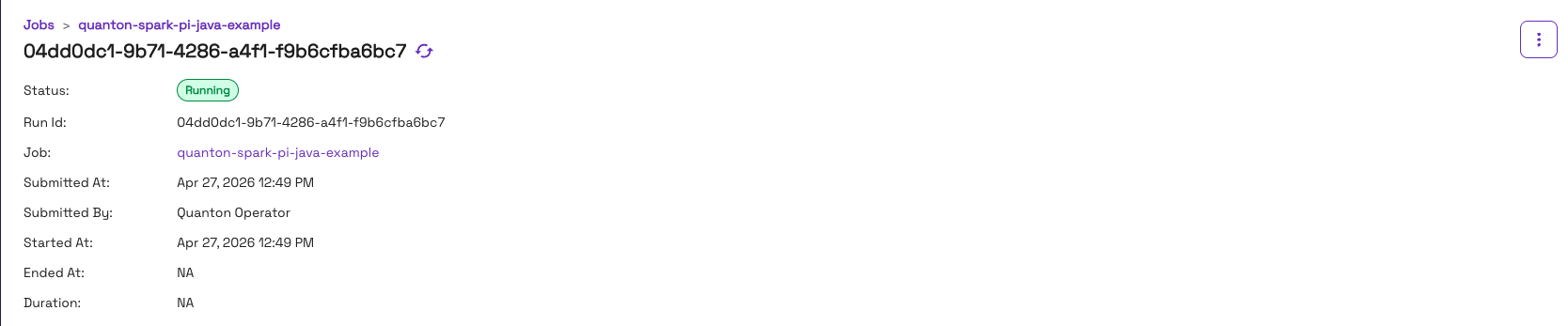
Once running, check the output:
kubectl logs -f quanton-spark-pi-java-example-driver | grep -i "pi is"
Expected output:
Pi is roughly 3.141592...
Once the job finishes, the console will show it as Completed:

Troubleshooting
ImagePullBackOff on quanton-controller
If kubectl get pods -n quanton-operator shows ImagePullBackOff on the quanton-controller pod, check the events:
kubectl describe pod -n quanton-operator <quanton-controller-pod-name> | grep -A 30 "Events:"
A TLS handshake timeout pulling from dist.onehouse.ai can indicate the EKS nodes can't reach the Onehouse image registry — or may be a transient failure that resolves on retry. First wait a minute and re-check pod status. If it persists, verify connectivity from inside the cluster:
kubectl run nettest --image=busybox --restart=Never -- \
  sh -c "wget -qO- https://dist.onehouse.ai 2>&1 || true" && \
  kubectl wait --for=jsonpath='{.status.phase}'=Succeeded pod/nettest --timeout=30s 2>/dev/null || true && \
  kubectl logs nettest && \
  kubectl delete pod nettest
A 404 Not Found response confirms connectivity is working. See Network Configuration for the full list of required endpoints.
Cleanup
When you're done, delete the cluster to stop all charges:
eksctl delete cluster --name quanton-eks --region us-west-2
This removes the cluster, node group, and all associated CloudFormation stacks.
Next steps
- Running Jobs — submit your own
QuantonSparkApplicationresources - AWS integration reference — S3 access via IRSA, node groups, and production setup